|
|
Latest Articles

New Movies








Foreign


|

Torrent Description
Edit video files without reconversion. Cut unwanted scenes from videos recorded with various PVR, DVR & DVD camcorders. Insert DVD and Blu-ray menus.
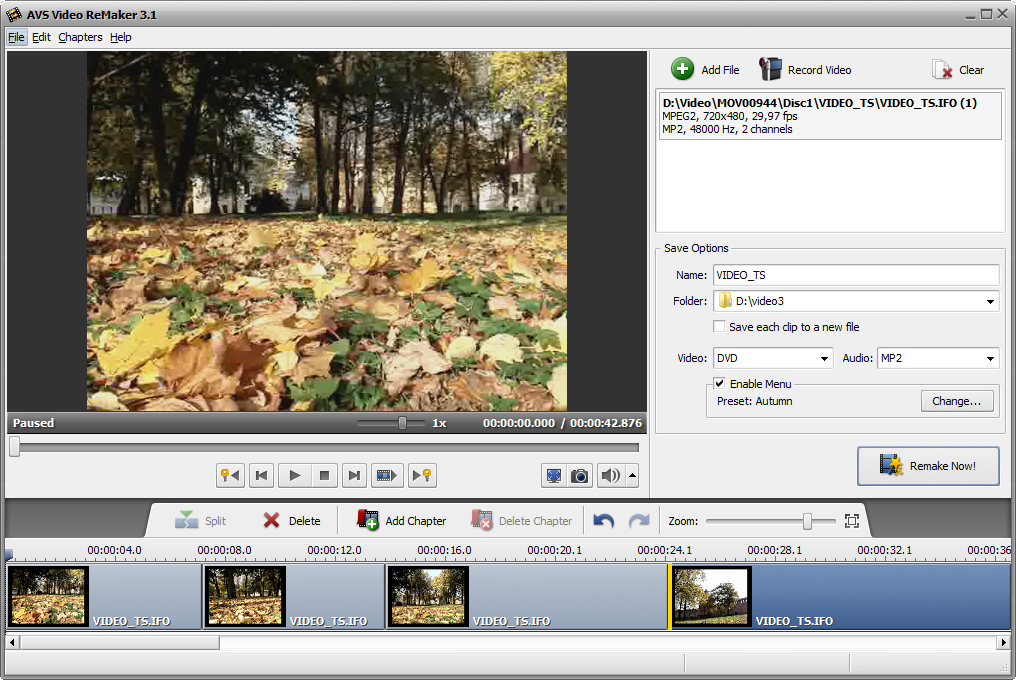 Edit Video Files without Reconversion Cut, delete unwanted parts, change scene sequence in MPEG, AVI, DVD, Blu-ray, WMV, etc. without reconversion. Edit Various Supported Formats Work with MPEG, DVD, AVI, WMV, Blu-ray, etc. See a full list of supported video formats Edit HD-Videos Edit AVCHD, MOD, MTS/M2TS, TOD, etc. video files recorded with camcorders and video cameras. new!Microsoft Windows 7 Support AVS Video ReMaker is compatible with the latest version of Microsoft Windows. Preserve Original Quality Remove unnecessary video parts in MPEG, AVI, DVD, HD, etc. and simply save your video anew. Create DVD and Blu-ray Menus Split video into chapters, select between a number of menu templates. Burn video files on to DVD or Blu-ray discs. Capture Video Transfer video from camcorders and video cameras to hard drive, edit files and create home video DVDs. Capture video from Web cameras and DV cameras. Multilingual Support AVS Video ReMaker interface and tech-support are available in English, French, German, Spanish and Italian.  Installation Instructions Run setup.exe To Install AVS Video ReMaker v3.1.2.102 follow The Onscreen Instructions By The Installer When Finish Installing UnTick-> [ Launch AVS Video ReMaker ] And Click Finish To Complete The Setup,If Your Web Browser Opens And Directs You To There Site Just Close The Tab Or Browser, Dont Start The Program Yet And Make Sure The Program Is Not Running, And Run AVS VR Patch By Adrian Dennis Done Enjoy !!! . For  Cool Downloads Head Over To My Site Cool Downloads Head Over To My Site
 http://adrianscool.com http://adrianscool.comPlease Make a Donation to Keep My Site Alive.
Related Torrents
|
|||||||||||||||||||||||||||||||||||||||||||||||||||||||||||||||||||||||||


Home - Browse Torrents
ExtraTorrent.st is in compliance with copyrights
2025 ExtraTorrent.st