|
|
Latest Articles

New Movies



Foreign


|

Torrent Description
Обучающие видео » Компьютерные видеоуроки и обучающие интерактивные DVD » Компьютерные сети и безопасность
OSINT for beginners Год выпуска: 2/2024 Производитель: Udemy Сайт производителя: https://www.udemy.com/course/osint-for-beginners/ Автор: Jeff Minakata Продолжительность: 6h 17m Тип раздаваемого материала: Видеоурок Язык: Английский Описание: This course teaches OSINT (open-source intelligence) from a non-regional perspective, meaning the tools are much more open and not focused on the US, covering tools, techniques, setting up a virtual lab and how to protect yourself. It is a comprehensive course using free open-source tools to investigate people and companies, and whether learners are totally new to OSINT and hacking or have some experience, it walks them through how both hackers and investigators use these tools and why. It is designed to be beginner-friendly while also educating experienced individuals through an easy-to-follow, practical approach, and it emphasizes safety by exploring the use of sock puppets, a Linux virtual machine and more. The course is built from the instructor's previous bestselling courses over the years, with the intention of making it more accessible to people inside and outside the US, and those who have taken any of the previous OSINT courses by the instructor are advised not to take this one since the majority would be review. The instructor invites learners who get stuck or have questions to send a message and promises to do their best to help, notes the course was recorded with a Hyperx Quadcast mic, shock stand, mic arm and OBS Studio at 1920x1080, 48kHz stereo, and reminds learners that neither the instructor nor anyone part of DGS has any affiliation with the vendors, software manufacturers or programmers featured in the course. [spoiler="Содержание"] 1. Introduction 1. What is this course (03:36) 2. What is OSINT and why is it important (06:30) 3. Disclaimer (01:38) 4. What will you need (02:20) 5. DGS Start.me page (02:47) 2. Getting Started 1. Information overload and emotional impact (03:01) 2. Avoiding Bias (07:40) 3. What is a virtual machine (VM) (03:42) 4. Installing VB (And alternative for Mac M1 & M2 CPUs) (03:11) 5. Installing CSI Linux (11:26) 6. Basic Linux commands (03:46) 7. Social Engineering (06:41) 3. Methodology 1. OSINT Breakdown, Methodology, Mindmaps (07:16) 2. Crossing the line, ethical and legal boundries (02:56) 3. Tools (and websites) will break and sometimes fail you (03:49) 4. Verifying results (08:43) 5. Ask (01:46) 4. Safety 1. Sock Puppets (02:41) 2. Building a Sock Puppet (03:20) 3. VPNs and kill switches (08:30) 4. DNS Leak tests (03:26) 5. CSI Tor Gateway (05:29) 6. Disposable Emails (04:08) 7. VOIP and Burner Phones (06:06) 8. 2FA (05:06) 9. Password Managers (06:23) 10. Encryption (04:21) 5. Reporting 1. Reports (08:00) 2. CSI Reports (04:00) 3. OBS (02:33) 4. Right to be forgotten (04:10) 6. Searches (Basic) 1. Google, Bing, Yandex, Baidu, Duck Duck Go (02:19) 2. Google Dorks (03:58) 3. Google Alerts (03:32) 4. IntelX (03:47) 7. Map searches 1. Google, Bing Maps (08:11) 2. Sun Calculator (03:21) 3. Weather reports (03:38) 8. Photos 1. Analyzing photos (04:43) 2. Car Stickers (02:22) 3. GeoLocation (02:53) 4. Exifdata (02:44) 5. Photo Manipulation and Gan (04:49) 6. Reverse Image Searches (06:06) 9. Social Media 1. TwitterX (04:28) 2. Facebook (02:23) 3. Snapchat (04:21) 4. Telegram (03:06) 5. Linkedin (03:55) 6. WhatsApp (04:03) 10. IP Addresses 1. IP to Location. VPN check, Tor Lookup (06:06) 2. Canary Tokens (08:52) 11. Browsers 1. Tor (02:39) 2. Extentions (07:25) 12. Darkweb 1. What is the Darkweb and how to browse it (05:21) 2. Searching the Darkweb (04:01) 13. Leaks and Dumps 1. DDOS and Wikileaks (02:23) 2. Pastebin (02:01) 3. Dehashed and HaveIbeenPwned (05:41) 14. Tracking 1. Flight trackers and Boat Trackers (03:01) 15. Websites 1. Things to look for (03:04) 2. Wayback Machine (04:45) 3. Builtwith (03:14) 4. Whois (03:10) 16. Crawling and searches 1. Spiderfoot (05:48) 2. Maltego (09:37) 3. Metagoofil (04:23) 17. Virus and Malware 1. Hybridanalysis and Virustotal (04:27) 18. Phones 1. LAN, Mobile, VOIP (03:37) 2. Phoneinfoga Phonefy (03:49) 19. Email 1. Email Validation and Phishtool (04:59) 20. Media 1. News sites and Media Bias (03:35) 2. Fact checking with Snopes (04:11) 21. People searches 1. People Searches (06:14) 22. Crypto 1. Bitcoin wallet (04:25) 23. Deaths and hospitals 1. Finding death records (Ancestry, calling, obituary) (04:13) 24. Test time 1. Let's use what you learned (01:46) 2. Example Solution (Video) (09:23) 25. Places to practice 1. Places to practice what you learned (03:56) 26. Build a USB OSINT Toolkit 1. Build a OSINT USB (10:57) 27. OSINT And AI 1. AI and OSINT (04:28) 28. Thank you 1. A Word of Thanks to you all (01:50) [/spoiler] Файлы примеров: не предусмотрены Формат видео: MP4 Видео: AVC, 1280x720, 16:9, 30fps, 806kbps Аудио: AAC, 48.0Hz, 128kbps, stereo [spoiler="Скриншоты"] 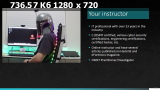 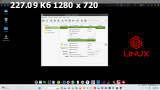 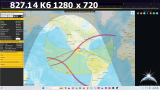 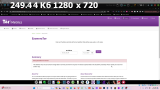     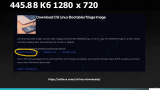  [/spoiler]
Related Torrents
|
||||||||||||||||||||||||||||||||||||||||||||||||||||


Home - Browse Torrents
ExtraTorrent.st is in compliance with copyrights
2025 ExtraTorrent.st