|
|
Latest Articles

New Movies



Foreign


|

Torrent Description
Обучающие видео » Компьютерные видеоуроки и обучающие интерактивные DVD » Machine/Deep Learning, Neural Networks
Microsoft 365 Copilot – The Full Guide Год выпуска: 9/2026 Производитель: Udemy Сайт производителя: https://www.udemy.com/course/microsoft-365-copilot-the-full-guide/ Автор: Nikolai Schuler, Jagger Bellagarda Продолжительность: 5h 42m Тип раздаваемого материала: Видеоурок Язык: Английский Описание: This course teaches you to use Microsoft 365 Copilot to work faster, create better content, and streamline everyday tasks, taking you from the fundamentals to practical workflows you can apply in your own work. Rather than learning features in isolation, you see how Copilot helps you create and improve documents, analyze data, build presentations, manage email, summarize meetings, and work more efficiently across Microsoft 365. What makes it different is its focus on practical application rather than just AI theory or basic prompting—you work through real examples and learn to get better results with effective prompts, work faster across Microsoft 365 applications, turn documents and data into useful insights, create presentations and business content, manage email and communication more efficiently, summarize meetings and identify action items, and build workflows that combine multiple Microsoft 365 tools. The course is hands-on and practical, with step-by-step demonstrations and exercises throughout. The goal is not simply to understand what Copilot can do but to actually use it in your own work, and it starts with fundamentals before progressing into more advanced workflows, so you can follow along even if you are completely new to Microsoft 365 Copilot. By the end, you will be able to use Copilot as a practical AI assistant across Microsoft 365 and apply what you've learned to your everyday workflows. The course is not affiliated with, sponsored by, or endorsed by Microsoft. [spoiler="Содержание"] 1 - 1. Welcome & Foundations 1. Welcome & Course Roadmap (01:49) 2. What Is M365 Copilot & How It Works (03:29) 3. Copilot Versions & Licenses Explained (02:10) 4. The Two Copilot Sites & When to Use Each (03:31) 5. First Sign-In & Interface Tour (07:29) 6. Install the Desktop & Mobile Apps (01:27) 7. AI Credits & Usage Limits (01:35) 2 - 2. Getting Set Up 8. The Copilot Key & Windows Shortcuts (00:58) 9. Copilot Vision Let Copilot See Your Screen (09:11) 10. Copilot in the Edge Sidebar (04:01) 11. Enterprise Data Protection Is My Data Safe (01:28) 12. Security & Copilot Scoping (01:07) 3 - 3. Copilot Chat Fundamentals 13. The Web Tab A Fresh Outside Perspective (07:20) 14. Citations & Fact-Checking Responses (05:28) 15. Vendor Comparison (04:22) 16. Supplier Price List (02:17) 17. Practical Troubleshoot Anything with a Screenshot (03:56) 18. Connectors OneDrive, Outlook, Gmail & Google Drive (03:44) 19. The Create Studio Posters, Infographics & More (03:52) 20. Turn a Chat Into a Deliverable (14:06) 4 - 4. Prompting Like a Pro 21. Anatomy of a Great Prompt Goal, Context, Source, Expectations (07:57) 22. Prompt Makeover From 'Tell Me About X' to Ready-to-Send (05:49) 23. The Prompt Gallery & Saving Your Own Prompts (04:30) 24. Scheduled Prompts Put Copilot on a Timer (11:01) 25. Memory & Custom Instructions (08:34) 5 - 5. Search, Pages & Notebooks 26. AI-Powered Search Across Your Work (03:04) 27. Ask About Your Email & Calendar from Chat (02:29) 28. Copilot Pages Turn Answers into Living Documents (04:31) 29. Notebooks Chat with a Folder of Files (09:10) 6 - 6. Copilot in Word 30. Draft a Document from a Prompt (05:50) 31. Rewrite, Change Tone & Visualize Your Content (06:15) 32. Chat with Your Document (05:28) 33. Allow Editing & Turning a Document Into a Deliverable (02:17) 34. Word as Coach (05:42) 35. Convert PDFs & PowerPoints into Word Documents (03:08) 7 - 7. Copilot in Excel 36. Highlight, Sort, Filter & Format (03:36) 37. Excel Setup AutoSave, OneDrive & File Basics (02:16) 38. Formula Columns from Plain English (03:51) 39. Instant Insights Charts & Pivot Tables (03:35) 40. One-Prompt Dashboards & Deep Analysis (10:45) 41. Find & Fix Missing or Messy Data (03:30) 8 - 8. Copilot in PowerPoint 42. Create a Presentation from a Word Document (06:20) 43. Create a Presentation from Scratch (07:05) 44. Auto Organize & Summarize (11:21) 45. Add New Slides & Swap Images (04:48) 46. Rehearse & Deliver with Copilot (07:03) 9 - 9. Copilot in Outlook 47. Draft an Email with Copilot (04:40) 48. One-Shot Detailed Email Prompts (04:50) 49. Email Coaching Refine Your Tone & Clarity (05:11) 50. Summarize Long Email Threads (05:35) 51. Inbox Triage & Standing Draft Instructions (04:55) 10 - 10. Copilot in Teams 52. Teams Setup New Teams, Transcription & the Rules (03:00) 53. Meeting Recap (03:04) 54. Ask Copilot About Any Meeting (02:40) 55. Catch Up on Chats & Rewrite Messages Before You Send (04:59) 56. Copilot Without Transcription (02:38) 57. The Copilot Hub Inside Teams (03:21) 58. Live In-Meeting Copilot Assistant (01:34) 11 - 11. OneNote, Loop, Whiteboard & Forms 59. OneNote Summarize, Ask Questions & Find Answers (04:47) 60. OneNote To-Do Lists & Project Planning (03:21) 61. Loop Draft, Brainstorm, Blueprint & Describe (04:26) 62. Whiteboard Generate & Categorize Ideas (06:06) 63. Forms Generate Complete Surveys (05:45) 12 - 12. Agents 64. What Is an Agent (01:38) 65. Explore Built-In Agents & the Agent Store (03:02) 66. Researcher Deep Research on Any Topic (06:31) 67. Analyst Your Personal Data Scientist (03:33) 68. Build Your First Agent (Describe, Test & Publish) (08:34) 69. Agent Knowledge Opt In the Right Sources (03:17) 13 - 13. Cowork, Copilot Studio & What's Next 70. Cowork Let Copilot Do the Work (05:16) 71. Copilot Studio A First Look (01:22) 72. Beyond This Course (01:54) 14 - 14. Wrap-Up 73. Recap & Your 30-Day Copilot Habit Plan (02:22) [/spoiler] Файлы примеров: не предусмотрены Формат видео: MP4 Видео: AVC, 1920x1080, 16:9, 30fps, 624kbps Аудио: AAC, 44.1Hz, 128kbps, stereo [spoiler="Скриншоты"] 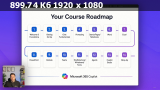   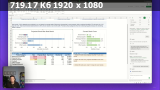 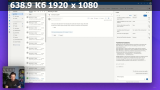 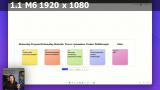 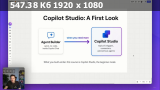 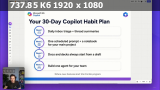 [/spoiler]
Related Torrents
|
|||||||||||||||||||||||||||||||||||||||||||||||||||||||||||||||||||||||||


Home - Browse Torrents
ExtraTorrent.st is in compliance with copyrights
2025 ExtraTorrent.st