|
|
Latest Articles

New Movies




Foreign


|

Torrent Description
Обучающие видео » Компьютерные видеоуроки и обучающие интерактивные DVD » Machine/Deep Learning, Neural Networks
AI Assisted Reverse Engineering of Web Applications Год выпуска: 8/2026 Производитель: Udemy Сайт производителя: https://www.udemy.com/course/ai-reverse-engineering-of-web-apps/ Автор: Paul Chin, PhD Продолжительность: 4h 48m Тип раздаваемого материала: Видеоурок Язык: Английский Описание: This course teaches you how to reverse engineer web applications and recreate their observable behavior locally, combining web development with reverse engineering in a single practical workflow. It covers the two broad categories of applications we use daily—native apps that require installation and web apps that run in a browser without installation—and uses AI coding agents like Codex and Claude Code to first build your own web applications and browser-based games, then approach those deployed applications as if you no longer have access to their original source code. Using AI coding agents, browser development tools, and automation techniques, you investigate how each application works and attempt to recreate it in a separate local project, following a repeatable cycle: build using vibe coding, deploy, remove access to the source, reverse engineer its behavior, and recreate it locally. You begin with simple applications built in HTML, CSS, and vanilla JavaScript, and progress to increasingly complex ones that may include browser storage, minified JavaScript, frontend frameworks, APIs, databases, authentication, real-time communication, and browser-based games. Along the way you use Chrome DevTools and AI browser integrations to inspect HTML, CSS, JavaScript, network traffic, and browser storage; discover and recreate APIs, authentication flows, WebSocket communication, and application behavior; reverse engineer browser-based games including their scores, timers, state, and validation logic; and use CDP, Codex, and Claude Chrome extensions to automate browser inspection and user workflows. You also recreate applications locally and compare them with the originals using automated tests, verify AI-generated apps, debug and fix errors, and perform penetration testing on web applications. What sets the course apart is that it combines building and reverse engineering: you build the original app, deploy it, investigate it without source access, reverse engineer its functions, recreate it locally, test the reconstruction, reveal and compare the original implementation, and perform ethical hacking on web applications—seeing how modern AI coding agents can assist with development, reverse engineering, and cloning. It is aimed at anyone who enjoys web development, reverse engineering, browser automation, AI coding agents, and AI-assisted pentesting or technical challenges. [spoiler="Содержание"] 1 - Introduction 1. Introduction (05:48) 2. What is a web application (11:46) 3. Installing codex and claude code (14:58) 4. Intro to web app reverse engineering (20:50) 2 - ASLR Disabler 5. Intro to ASLR Disabler (15:24) 6. Reverse and clone ASLR Disabler (13:35) 7. Modifying the ASLR Disabler app (13:21) 3 - PDF Converter 8. Intro to PDF Converter (07:39) 9. Reverse engineer and clone the PDF Converter web app (08:21) 4 - Suspicious File Analyzer 10. Intro to Suspicious File Analyzer (11:18) 11. Reverse engineer and clone the Suspicious File Analyzer web app (09:04) 5 - Military Tower Defence 12. Intro to the Military Tower Defence web game (08:07) 13. Reverse engineer and clone the Military Tower Defence web game (18:05) 6 - Game Hacking 14. Intro to game hacking (05:11) 15. Hacking the Military Tower Defence web game (20:59) 7 - Penetration Testing 16. Intro to AI-assisted penetration testing (05:37) 17. Installing OWASP Juice Shop (22:07) 18. The penetration testing plan (04:01) 19. Stage 1 Reconnaissance and Attack-Surface Mapping (14:16) 20. Stage 2 Identity authentication and session tests (10:10) 21. Stage 3 Authorization and access-control tests (09:33) 22. Stage 4 Input validation and API tests (07:50) 23. Stage 5 Client side and business logic tests (10:14) 24. Stage 6 OWASP ZAP automated testing (19:55) [/spoiler] Файлы примеров: не предусмотрены Формат видео: MP4 Видео: AVC, 1920x1080, 16:9, 30fps, 1784kbps Аудио: AAC, 44.1Hz, 126kbps, stereo [spoiler="Скриншоты"] 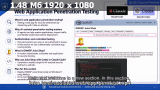 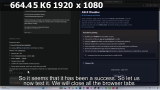 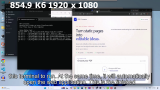 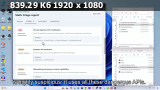 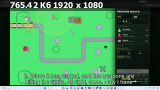 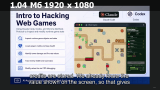 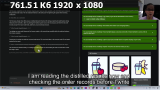 [/spoiler]
Related Torrents
|
|||||||||||||||||||||||||||||||||||||||||||||||||||||||||||||||||||||||||


Home - Browse Torrents
ExtraTorrent.st is in compliance with copyrights
2025 ExtraTorrent.st