|
|
Latest Articles

New Movies





Foreign





|
![Download Syncovery Premium 12.7.3.76 (x64) Multilingual [pac] torrent](/images/download_normal.gif)
Torrent Description
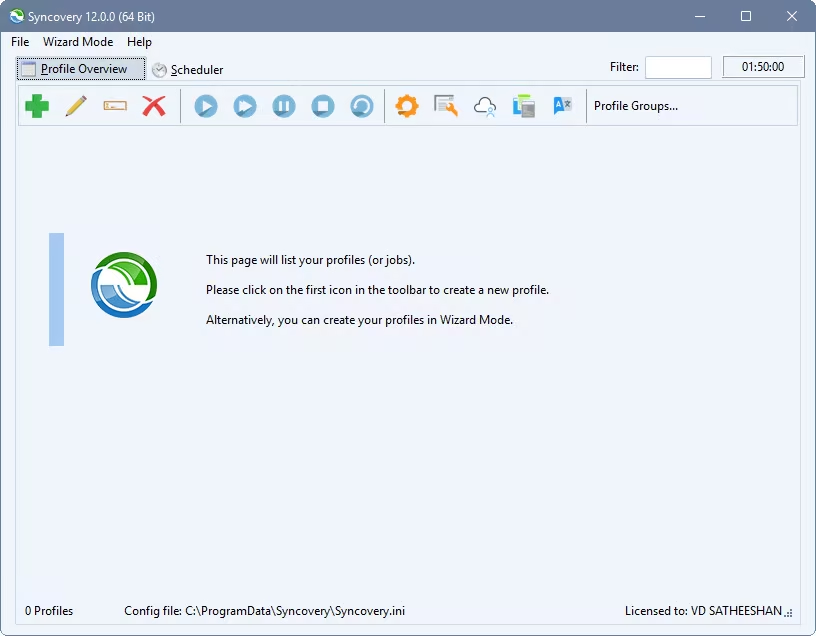 Create your first sync or backup job step by step, with explanations of the main settings you need to make. Each job (or profile) works with two paths – source and destination, or just the left and right path (since profiles can be 2-way copy tasks also). Extremely Fast Scanning Syncovery’s multi-threaded folder listing algorithm provides an unparalleled speed, and easily handles millions of files and huge numbers of folders. Even more speed can be gained with our Destination File List Cache and Remote Service features. Block Level Copying This will help you save bandwidth as well as backup space. Syncovery can detect changed blocks in large files, and copy only these. The detection works by keeping checksums in a database, or with the help of the Syncovery Remote Service, or by using our revolutionary File System Monitoring Service (the File Sytem Monitoring Service is Windows only). Real-Time Synchronization Real-Time Synchronization will make sure that changes are synced quickly. Syncovery listens to file system events and quickly performs the appropriate actions. For cloud servers, it can use polling to detect changes. These features are available on Windows and macOS only. SmartTracking The SmartTracking sync mode is frequently used in two-way sync jobs. It can detect moved files, deleted files, and conflicts (files changed on both sides). Versioning Syncovery allows you to keep multiple versions of modified files, allowing you to restore your files from an earlier date. The restore date can be chosen for individual files or multiple files, in our Restore Wizard. File Server Migration Syncovery’s advanced NTFS copying features, high speed, and scaleability enable you to perform large-scale migrations. Read our new, comprehensive Server Migration Guide. Advanced Mode Keep Everything Under Control Advanced Mode allows you to unleash Syncovery’s full potential. The Profile Overview shows your jobs (or profiles), their last and next run times, and the last result or current progress. You can easily create, edit, and run profiles. Syncovery offers various ways to start profiles. These are available when right-clicking a profile Attended Mode This mode has detailed progress dialogs, and shows the Sync Preview for you to confirm before proceding to the copying phase. It may also show additional confirmation dialogs according to your settings. Unattended Mode Unattended Mode also shows detailed progress dialogs, but does not show a Sync Preview and won’t ask any further questions. Some confirmations must be given beforehand, in the profile settings (for example, to delete files). Run in Background Running a job in the background is the most unobtrusive way to run a profile. You will see basic progress information in the Profile Overview, but no extra dialogs. This is how the scheduler runs profiles. You can still see detailed progress info by right-clicking the job that’s already running and choosing “Show Detailed Progress”. Background With Preview This new feature in Syncovery 9 has proven to be extremely useful. You won’t see detailed progress dialog, and the job doesn’t block the Syncovery GUI. You can run multiple jobs simultaneously, and check the Sync Preview for each profile when it’s ready. After confirming the preview dialog, the job goes into the background again. Whats New System Requirements All versions of Windows since Windows Vista and Windows Server 2008 are fully supported, including Windows 10/11 and Server 2019-2025 and all other versions and editions of Windows that have a graphical user interface. https://www.virustotal.com/gui/file/4ed7eaa2572619cc011ae48c2370606c52b45e9885a9767c6ee868232d7334dd https://www.virustotal.com/gui/file/79935dd7bf276281d3ada4cfeed128b58bc784c7912295cd595be418903cecde
Related Torrents
|
|||||||||||||||||||||||||||||||||||||||||||||||||||||||||||||||||||||||||


 English
Home - Browse Torrents
ExtraTorrent.st is in compliance with copyrights
2025 ExtraTorrent.st