|
|
Latest Articles

New Movies



Foreign


|
![Download RegVac Registry Cleaner v5.02.08 Final + Portable [2012, Rus] torrent](/images/download_normal.gif)
Torrent Description
 Программы и Дизайн » Системные программы » Программы для настройки и оптимизации ОС RegVac Registry Cleaner v5.02.08 Final + Portable [hr] Год/Дата Выпуска: 2012 Версия: v5.02.08 Разработчик: © Copyright 1996-2012 by Ray Geide [hr] Платформа: [hr] Разрядность: 32bit Совместимость с Vista: полная Совместимость с Windows 7: полная Язык интерфейса: Русский Таблэтка: Вылечено [hr] Системные требования: Win2000,Win7 x32,Win7 x64,Win98,WinOther,WinServer,WinVista,WinVista x64,WinXP,Other [hr] Описание: RegVac Registry Cleaner - программа представлена пакетом из утилит ( 6 очистители, 3 редактора, и 7 инструментов редактирования) для очистки и оптимизации реестра. Ищет неверные ключи и ссылки в реестре, позволяет редактировать список установленных программ, меню "Открыть с помощью", вести поиск временных файлов. Имеется модуль постоянного мониторинга измений реестра, а также утилита для поиска и удаления ключей реестра, которые оставляют шпионские и рекламные модули. Программа поддерживает резервное копирование реестра. В программе имеются два режима работы: автоматический и ручной. То, какой из них вы решите использовать, зависит от опыта. Имеется функция восстановления удаленных ключей, благодаря которой вы всегда сможете сделать "откат" Несмотря на огромное количество подобных программ в RegVac содержаться некоторые утилиты которых нет больше нигде. [*]хорошее качество работы [*]малотребовательность к ресурсам [*]возможность настроить параметры очистки и автоматизировать этот процесс [*]простота в использовании [hr] RegVac video [spoiler="Состав"] Six Cleaners Cleaner #1 - Classes Cleaner Complex algorithms not found in any other registry cleaner ensure that your classes are properly structured and clean. Cleaner #2 - Stash Cleaner The registry is littered with history lists, recent lists, and tips. This tool removes hundreds of the most common stashes and allows you to add the location of stashes that you discover. Other registry cleaners do not clean the stashes. Cleaner #3 - Lists Cleaner Many lists in the registry require special handling. This cleaner uses extra processes to discover concealed problems in the following lists: Known Drivers, Static VxD, Open GL Drivers, Shared Drivers, Start Menu, Startup, Help, Fonts, AppPaths, Extensions, HTML Help, Installed Files, Add/Remove Cache, Installer, and MUICache.. Cleaner #4 - Software Cleaner The largest part of the registry is the Software section. This cleaner searches through the Software section and finds keys that may be left over from deleted and uninstalled programs. Cleaner #5 - Bad Link Cleaner This cleaner looks from one end of the registry to the other for references to files that do not exist on your computer. Remove all of the found entries or use the Show Key button to examine each one. Cleaner #6 - Junk Cleaner Spyware and Adware love to put entries in your registry. This tool checks to see of you have any of the common ones and removes them. [hr] Three Editors Editor #1 - Add/Remove Editor Checks your Add/Remove Programs list for programs that have already been deleted and allows you to uninstall programs, remove entries, and test entries. Editor #2 - OpenWith Editor Lists the extensions that are configured through the Open With... dialog box in Windows and allows you to remove them. Editor #3 - AutoComplete Editor Every time you type something in a web form, it is saved in a secret locked part of the registry. This editor opens that area up and allows you to remove the ones you want. [hr] Seven Tools Tool #1 - System Configuration Utility MSConfig is a neat little Windows utility that gives you behind-the-scenes access to your system's configuration. This tool opens msconfig for you with the click of a button and removes disabled entries in it from the registry. Tool #2 - Software Cleanup Even when you properly uninstall software, fragments may be left behind. This unique tool uses three methods to find the remains and remove them. Tool #3 - Registry Pack Removes fragmentation and rebuilds the registry files. Tool #4 - PC Optimizer Goes through certain registry settings and optimizes them so that Windows runs in its optimal condition. Tool #5 - Monitor Tells when the registry changes. Specify where to have the monitor watch in the registry. Tool #6 - Registry Backup Makes full backups of the registry for your protection. Tool #7 - Registry Restore Restores registry backups. [/spoiler] [spoiler="Скриншоты"] 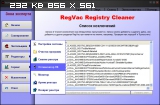 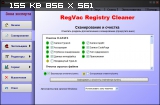 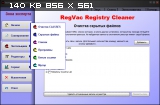  [/spoiler] [spoiler="Скриншоты окна About"]  [/spoiler]
Related Torrents
|
||||||||||||||||||||||||||||||||||||||||||||||||||||||||||||||||||


Home - Browse Torrents
ExtraTorrent.st is in compliance with copyrights
2025 ExtraTorrent.st